
How to build an AI system that writes your newsletters for you
A step-by-step guide on how to build an app that analyses your past newsletters and writes new successful ones based on your own writing

My Dad bought me a bright yellow C++ book when I was 10 (that was the popular programming language in the early 90s, though still used plenty in the background for producing software today). I read it, got excited by the potential but mostly just wrote and talked about coding and didn’t do any.
Spin on to 2022 and vibe-coding (which I have written about here) reignited my passion, mostly because now I had an AI assistant that could help me when I was stuck, which was incredibly frequent.
The models are of course improving, but so am I. What started as me blindly chatting to an AI and watching the code get written in front of me has changed to me understanding structure and where problems can arise. The key skill I have developed is to plot out all the functions of an app in fine detail. The coding platforms purport that you can just tell the AI in a paragraph the app you want and it will appear. This is not the case. Much like prompting for an exact picture you need to be willing to iterate and plan. So it employs the need for me to invent a “narrative”, that is if the story is the creation of a piece of software.
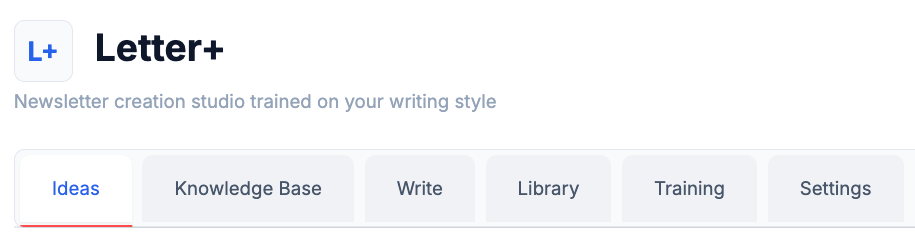
What is Letter+?
Letter+ is an app that I have vibe-coded that started with me looking at my newsletters from the past two and a half years and trying to figure out what has worked and what hasn’t. I knew that “how-to” articles had done well. And I knew that future predictions did better than hot takes. But the topic choice each week for my newsletter has largely been at my whim and I wanted to structure the topic choice more, in an increasingly crowded market of AI newsletters.
Here’s how I did it:
Step 1: Downloading the stats from Substack
The first step was getting all my stats and bluntly feeding them into ChatGPT, then quickly realising that this type of info needs to be stored and analysed.
My vibe-coding platform of choice is Cursor (using Claude-4.5 Opus).
I fed the stats and my Substack URL into Cursor and asked it to figure out what worked (in terms of more reads and a better open rate). It wrote a quick script to break down which topics work best, which headline length was most popular and what type of writing tone got the best engagement. This useful info will come into play later.
Step 2: Setting up how the app gets used
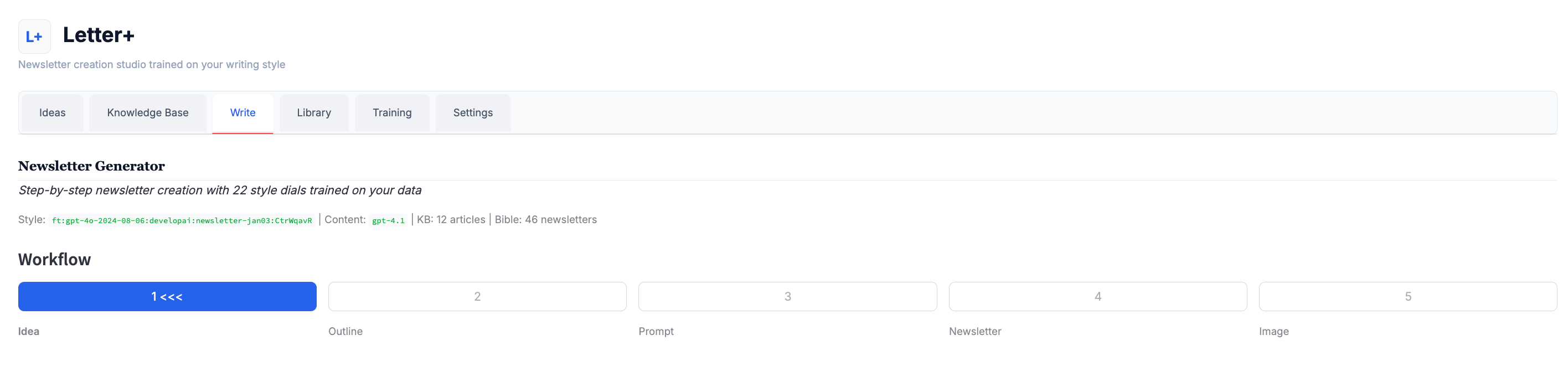
I set about creating a “Newsletter Bible” for my style (from my existing 43 newsletters) and a “Knowledge Base” (on AI reports and articles I’ve collected over the last few years).
Then I developed a workflow. It starts with asking AI to generate a set of potential newsletter ideas. Then I needed the ideas that were generated to always be accompanied by a link. When you select a idea that you like, it ports it over to an editing screen to build an “outline”. The system populates the outline with suggested headlines and an opening paragraph and the basic points of the article (all of which the user can edit). This worked perfectly. My assumption was that the system would take the pointers in the outline and generate the newsletter. But I was missing a few crucial steps.
Step 3: Training a mini-model on my past newsletters
This work makes you question what writing (which I have been trying to do my whole life) really consists of. It is basically a blend of style and substance to create tension that resolves. And though I had this “Newsletter Bible” my tone wasn’t being represented in the final generated letters. Instead, just lines of cut and pasted text from old letters were appearing.
My next thought was that I should train my own mini LLM on my past newsletters and that is how I would get the style and tone of the AI generated newsletters to match my own. In the past I have experimented with creating a custom GPT trained on my past work (and wrote about it here). This fine-tuning felt like the next logical step (and a feature that OpenAI readily offers).
OpenAI billed me just over $10 to train my mini-model. But when asked to write a newsletter on AI in 2026 it came out a garbled mess. It turns out a large language model is LARGE for a reason. You need the heft of all that delicious scraped data to create a newsletter that is remotely coherent regardless of it being trained on your voice or not.
Step 4: Develop a prompt… that writes the perfect prompt
So, I abandoned the fine-tuned model and instead inserted a prompt writing step into my workflow. The sycophantic AI praised me for my creative work around. This pulled everything from the outline into a set of instructions that in turn creates the letter. I also introduced a set of 20 style “dials” based on themes that did well in past letters. So you could adjust how much “doom” or “African influence” appeared in the final letter.
So the system now pulled from the current idea and link, a history of style and a bank of knowledge to build a prompt (that was almost as long as the final letter) and fed that to the OpenAI API and the results were far better.
Step 5: A lot of pressurised nagging
The system worked not because I gave Cursor one perfect instruction, but because I constantly constrained it, corrected it, and forced it to stay inside a very narrow lane. Most of my time with Cursor was spent saying things like “keep everything else the same”, “that’s not what I meant”, and “undo that approach”.
I kept pushing on persistence, transparency, and control because I didn’t want a newsletter toy that sounds clever for five minutes. I wanted something that could carry my voice over time without drifting into generic ChatGPT sludge.
Step 6: Try and avoid feature bloat (and dummy data)
The most striking “progression” of vibe-coding is that it now adds dozens of features without you asking and fills graphs with dummy copy. After the initial few prompts you tend to comb through your new app and ask it to remove tabs, menus and tables that it just assumed you wanted. And it populates every section with data (or links) that appears real but go nowhere. This can be avoided with strong prompting and plotting out every feature you need in a linear fashion.
I was asking Cursor to behave like a real product: remember things, use actual sources, stop hallucinating links and prove that edits and learning are real rather than cosmetic.
I also added a feature so the system is constantly trained on edits you make (even small tweaks to headlines) and a section where you can input the stats of how the generated letters do out in the world (so it can adjust what it generates going forward).
Step 7: Ask yourself, is this the future of content?
I have to admit that despite this being about a tool that writes newsletters with AI, I wrote THIS letter entirely myself (it feels crazy that I want acknowledgement for that). And it is simply because I wanted to make sure the process was correct and also, like anyone who grew up writing journals knows, I wanted to work through my own thoughts on the topic by writing them down. I am not sure that will happen to the world if we all stop doing this.
Step 8: Can you build your own version of this app?
Definitely and I am happy to help. Get in touch and we can look at how you or your business can wrestle the AI beast to the ground and get it working for you.
See you next week. Cheers.


Develop Al is an innovative consulting and training company that creates AI strategies for companies, newsrooms and individuals so they can implement AI effectively. We build AI projects that solve problems and create impact.
I have implemented AI strategies with Thomson Reuters Foundation, DW Akademie, Public Media Alliance, IMS (International Media Support), Agence Française de Développement and others to improve the impact of media globally.
Contact Develop AI to arrange AI training (online and in person) for you and your team. And ask about mentoring for your business or newsroom to build efficient AI products.
Email me directly on paul@developai.co.za, find me on LinkedIn or chat to me on our WhatsApp Community.
Hey, great read as always. You totally nailed it on needin' a real "narrative" and iterating; the magic-paragraph-app dream is still just science fiction.